





Global tools
When the header General is selected in the tree, the tool menu provides tools sorted in 3 categories:
Clean up
Remove unused elements
All samples that are not used by any instrument and all instruments that are not used by any preset are automatically deleted. A message indicates how many elements have been deleted.
Clean duplicates
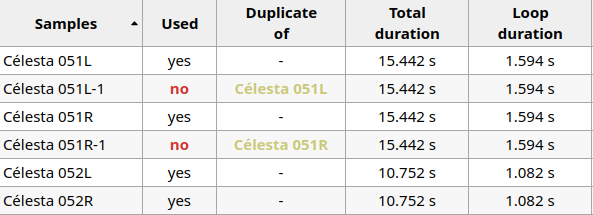
Identical samples are merged: data, sample rate, loop, root key and correction must be the same, and stereo samples are compared along with their linked sample. For each group of identical samples, the first one (in the order of the file) is kept and replaces the others in the instruments, the others being deleted. A message indicates how many samples have been deleted.
Duplicates are shown beforehand in the sample configuration summary.
Modulators
Remove all modulators
All modulators present in all instruments and presets will be removed.
Utility
Export preset list
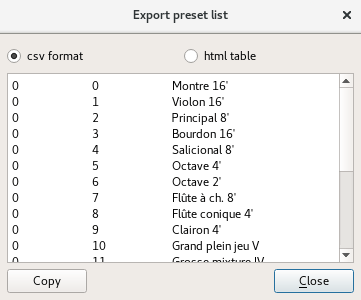
With this tool, the list of all presets is written as a text, with their bank and preset numbers. This text can be formatted as csv, to be integrated in a spreadsheet, or as an html table, to be integrated in a website. A button copies the text to the clipboard.
Polyphone is free but there are costs associated with its website and development. A small donation will help a lot.
Donatetop