Article category
Software
Date
Version 2.6
Polyphone evolves with a new version 2.6 that focuses on soundfont exploration, compressed sample management, and overall software accuracy, while improving ease of use.
Soundfont explorer
A soundfont explorer allows you to browse the contents of a directory. Each soundfont can be inspected with a single click, displaying the list of samples, instruments, and presets it contains. Additional information is shown under each item to quickly assess the quality and level of detail of the work.
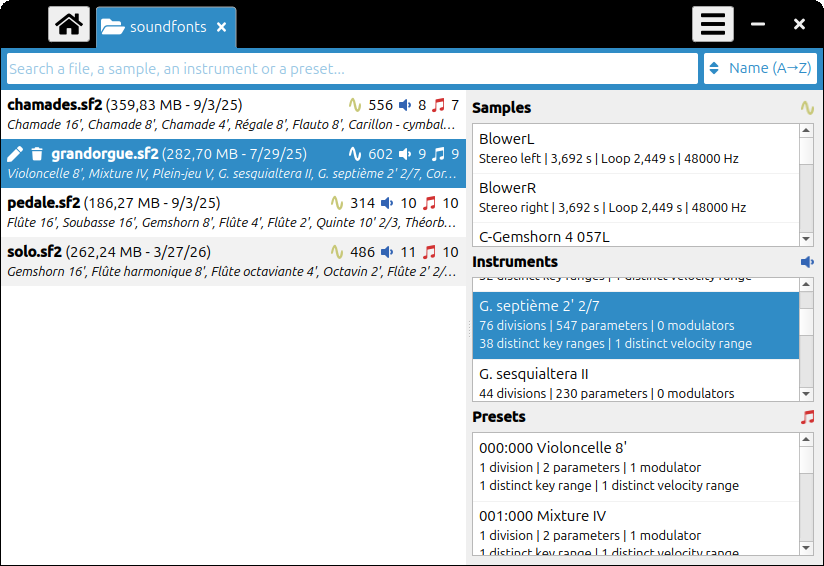
Double-clicking on a soundfont or one of its elements directly opens it at the selected location, making navigation easier.
From this interface, it is also possible to rename files or move them to the trash, making library management simpler and more efficient.
Sample compression
Sample compression handling has been completely redesigned to provide more flexibility and reliability.
An option in the “General” view now allows compression within a soundfont. When enabled, controls appear at the sample level to compress or decompress them individually. It is therefore possible to mix compressed and uncompressed samples within the same file.
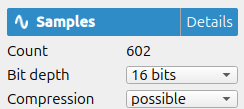
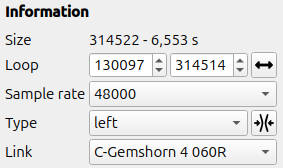
An important point concerns audio quality: successive saves of a soundfont no longer degrade compressed samples. Compression and decompression operations are only performed when a sample is actually modified.
Finally, the compression state is clearly indicated in the sample summary, providing better visibility of their configuration.
User interface
Usability improvements
- addition of a calendar to select the creation date of a soundfont in the “General” view;
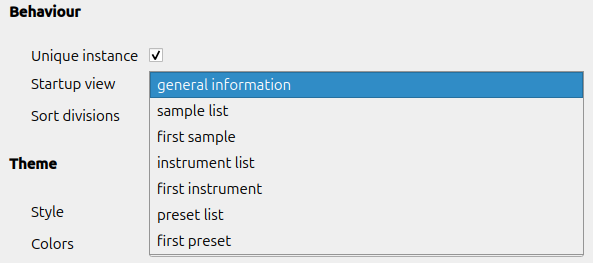
- ability to choose the view displayed when opening a file.
Fixes
- tab width adjusted;
- correct display of attenuations in the modulator list;
- fixed velocity ranges in the list of instruments or presets;
- display of the last point in the sample viewer.
Miscellaneous
Translations
This version introduces two new translations (Dutch and Japanese).
All other languages have been completed using AI.
Exports
- CSV export is now available, allowing extraction of all soundfont parameters for detailed analysis; values can be displayed either in standard units or in their raw form as stored in the file;
- key ranges and loops are correctly exported to the SFZ format;
- links between samples are preserved when exporting to SF2 / SF3.
Audio playback / MIDI compatibility
Overall performance has been improved: the audio engine is faster, uses less RAM, and resampling is more accurate.
MIDI RPN messages are supported for tuning adjustments.
Polyphone is free but there are costs associated with its website and development. A small donation will help a lot.
Donatetop