Entrar
Este fórum permite que pessoas do mundo todo se comuniquem, por isso as mensagens trocadas são em inglês.

Cant export and then import again

Categoria: Bugs e instalação
  • BA 64 0
    Mensagem de batata004 em
    Hi,

    I have a soundfont in which each sample (L/R) has exactly the same name. For example, the sample for "L" has the name "xxx" and the name for "R" has also the name "xxx". When select that sample and go to "Wav export..." it exports both L and R in a single file, as expected, named "xxx.wav". 

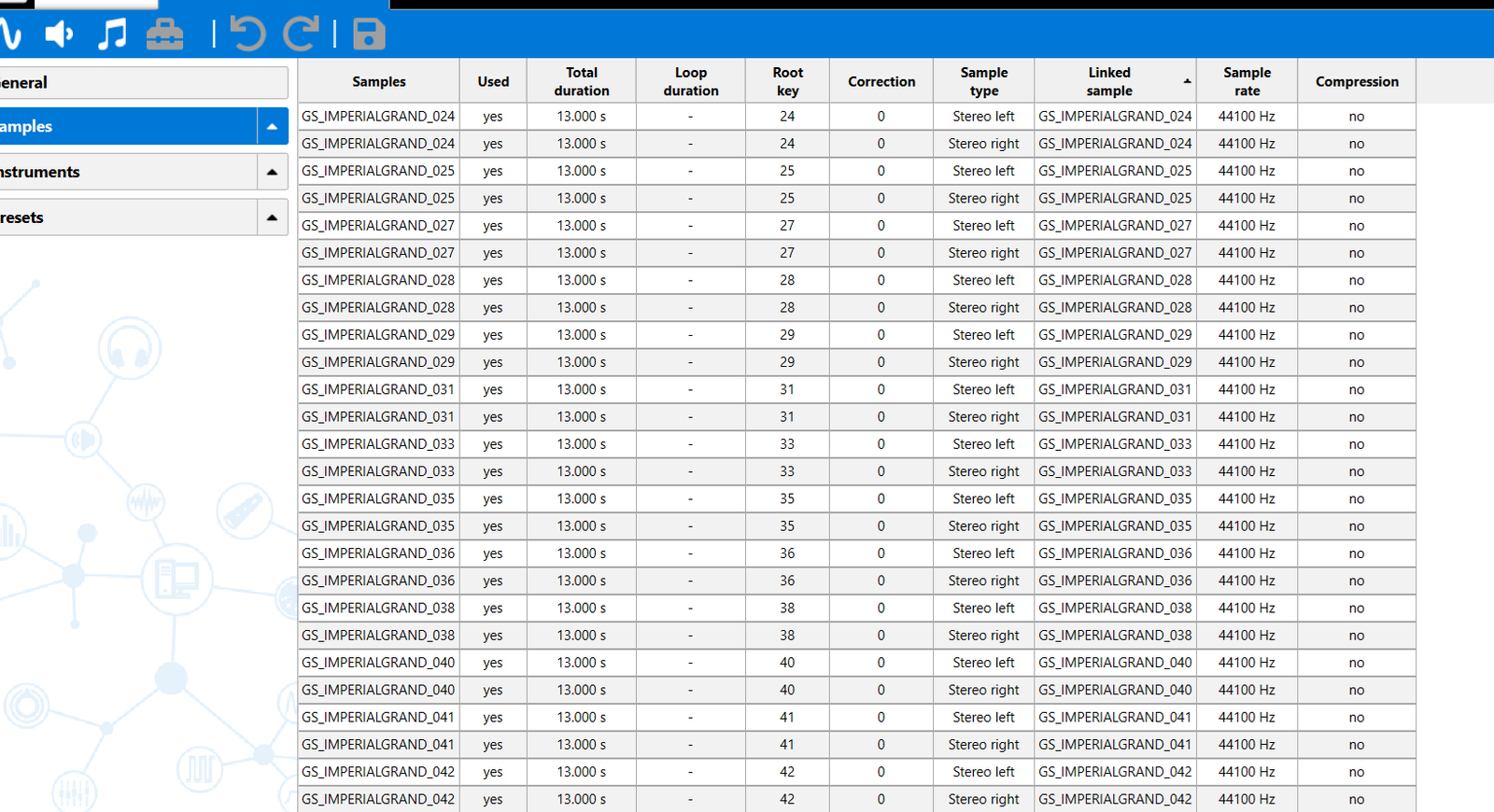
    Then I make changes to that file and I drag it back to Polyphone, but now Polyphone recreates 2 new samples appeding "-L" and "-R" (as usual) and this creates a lot of problems because now I will have to correctly bind this sample to each instrument, and so on. I have hundreds of samples in which i need to do this.

    In the BULK RENAME option I cant find and option to add "-L" and "-R" to the filenames because if there was such option I could execute it, then I could export/import the sample and it would replace correctly the previous one. Or is there a %var that I can use in the replace box to mean -L and -R?

    Thanks a lot, this sofware is a life saver to me!
  • 422 17
    Mensagem de bottrop em
    and what if you do Tools>Global>connect all stereo files?
  • BA 64 0
    Mensagem de batata004 em
    bottrop, em -
    and what if you do Tools>Global>connect all stereo files?
    I think your answer is exactly what I am looking for but I cant find this option " connect all stereo files? "! I tried searching for it in the Settings, clicking the tools button on a sample... 
  • 422 17
    Mensagem de bottrop em 1
    because my eyes are not good enough for the newer versions i still work in 1.9, it is there in the toolbox.
    in 2.6 maybe it is in the Sample section, i cant find my way in that shitty app, designed for telephones.
  • BA 64 0
    Mensagem de batata004 em
    bottrop, em -
    because my eyes are not good enough for the newer versions i still work in 1.9, it is there in the toolbox.
    in 2.6 maybe it is in the Sample section, i cant find my way in that shitty app, designed for telephones.
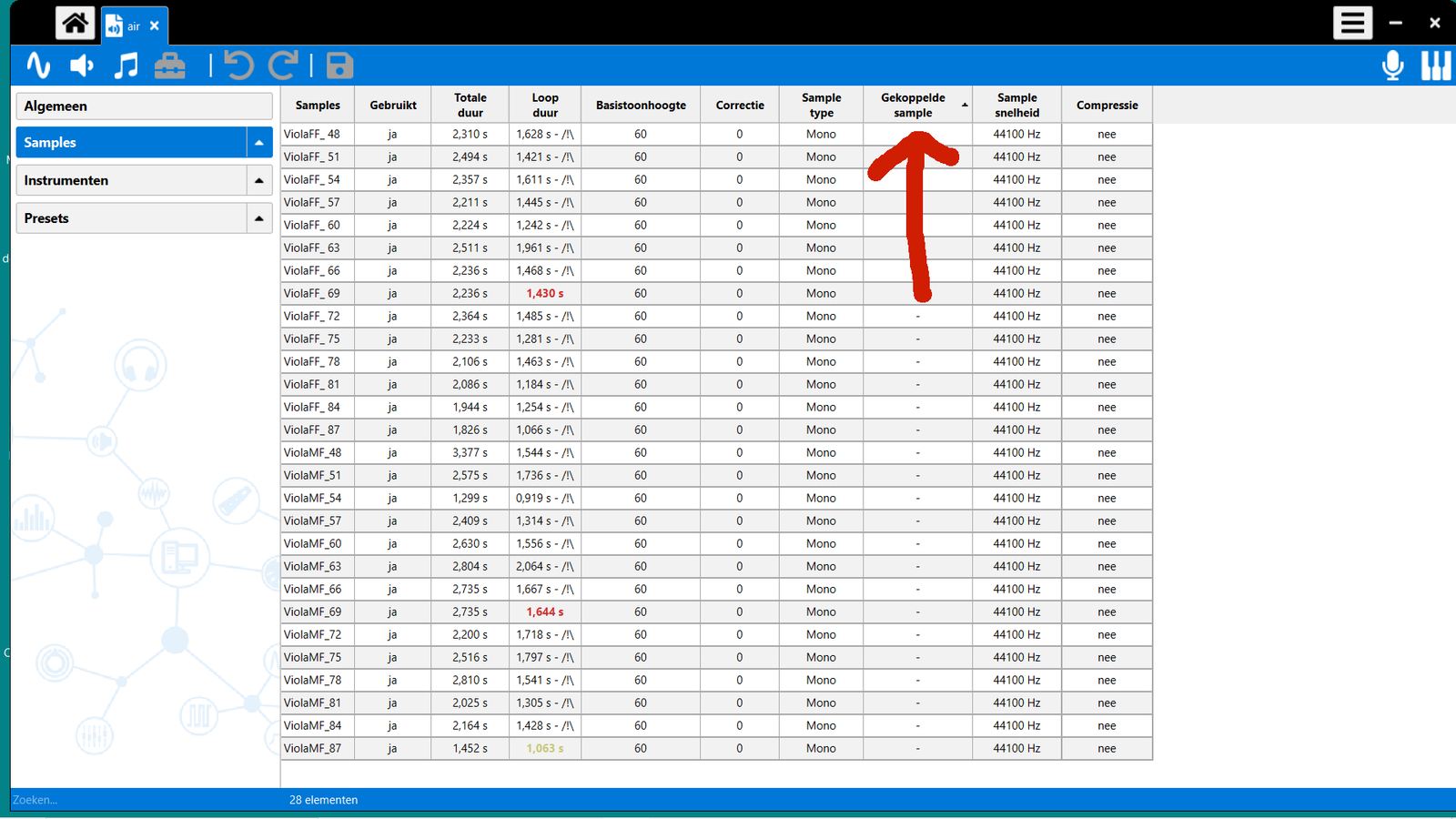
    Thank you so much, now I can see the red arrow you told me. I attached you my print screen, but I cant find the option " connect all stereo files "!
  • 422 17
    Mensagem de bottrop em
    like i said before; i cant work in 2.6. 
    in the Samples folder select all your samples and click the Toolbox, there are some options for stereo samples, in think.
    regards

Entre ou cadastre-se para participar das discussões.

O Polyphone precisa de você!

O Polyphone é gratuito, mas há custos ligados ao site e ao desenvolvimento. Uma pequena doação ajuda muito.

Doar
Aprenda o básico Experimente um tutorial
Voltar ao
topo